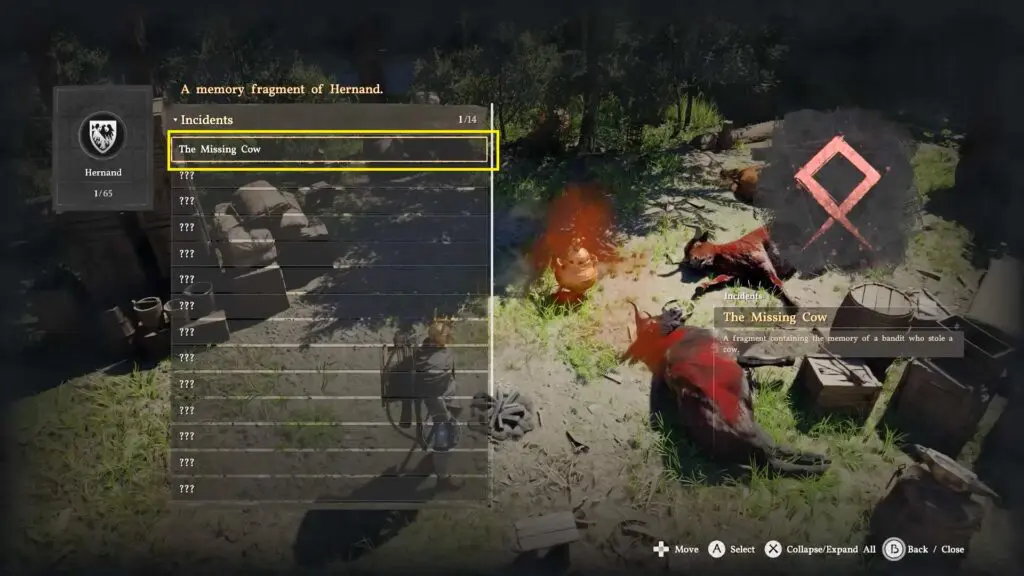
In Crimson Desert, reading memories is an important mechanic that helps you uncover clues and progress through quests. Instead of finding everything directly, you often need to discover hidden memory fragments and replay them to understand what happened. In this guide, you will learn how to read memories step by step, how the system works, and how to properly use the Visione helmet.
Read the memory on the cows’ whereabouts
To find and read the memory, you need to equip and use your lantern to find the memory, and then the Visione Helmet to read the memory.
Discover the Memory Using the Lantern
First, open your equipment quick wheel and go to the weapon section. Then highlight the lantern and then press A on Xbox or X on PlayStation to turn ON your lantern.
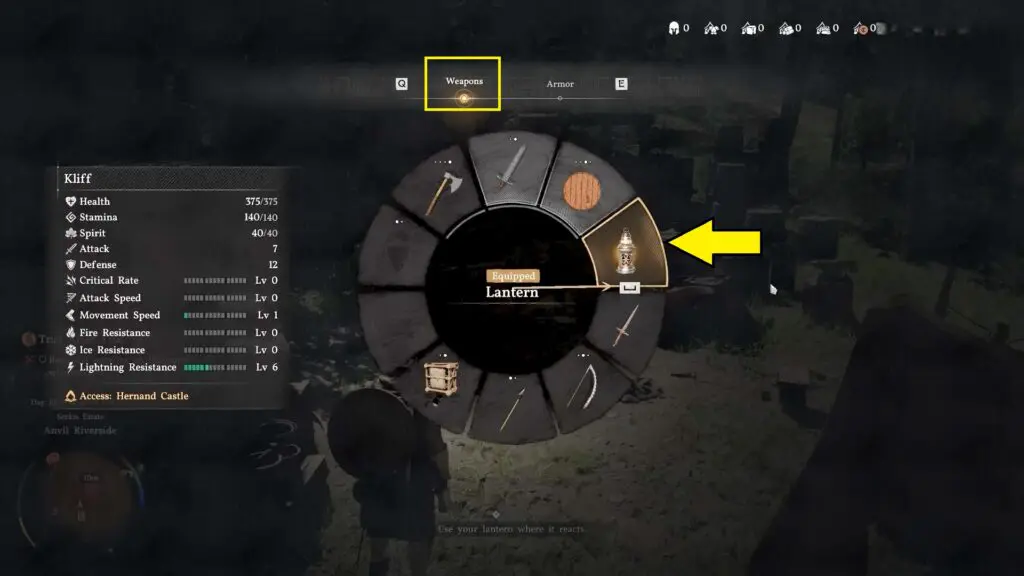
Then take the lantern out by pressing LB on the controller and shine the light around the camp to scan the surroundings. As you move around, look for the right angle where the memory or shadow-like traces start to appear. Keep scanning the area until the memory is fully learned.
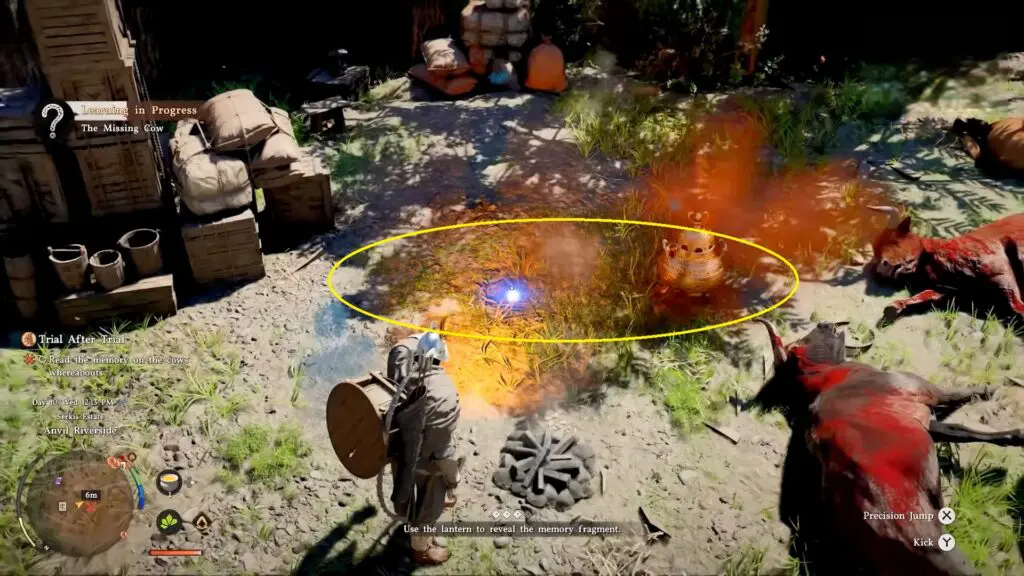
Equip the Visione Helmet to read the Memory
After finding the memory, open your equipment quick wheel again and go to the armor section. Hover over the headgear and use LT/RT on the controller to find and equip the Visione helmet.
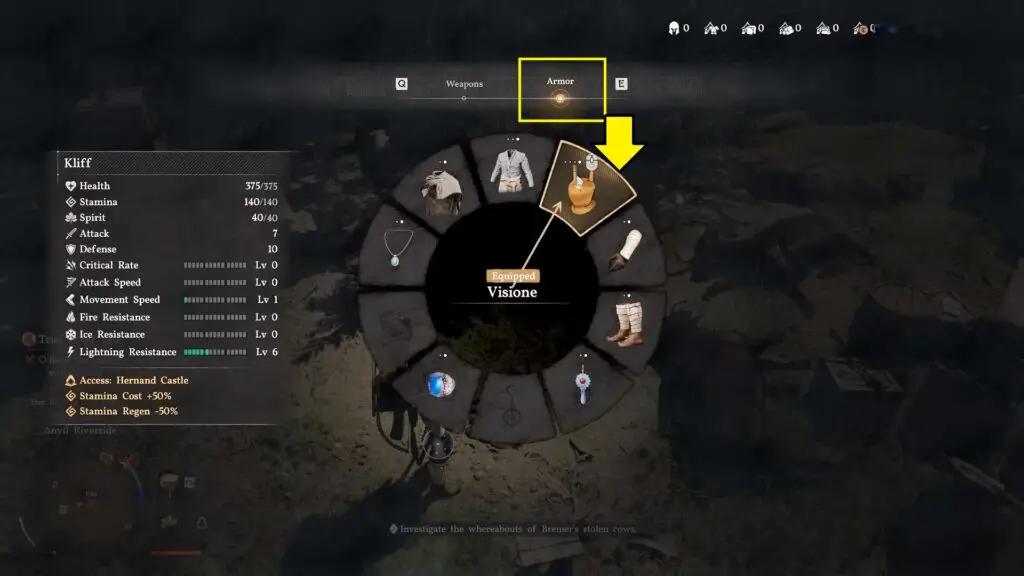
Once it is equipped, press A on Xbox or X on PlayStation to open the secondary menu. From there, choose to play the memory fragment, select the nearby memory, and pick “The Missing Cow” to view it.
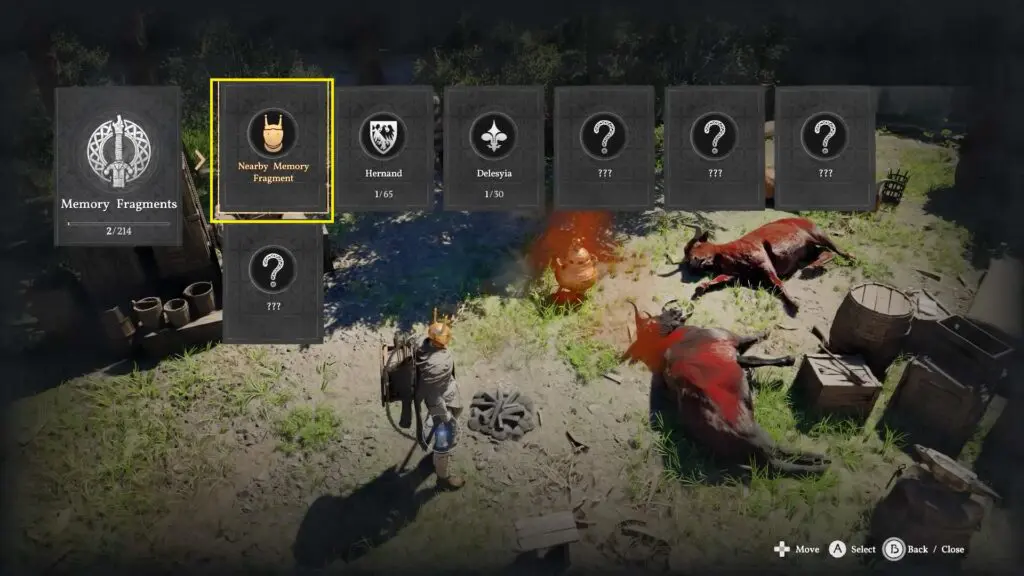
Once activated, the memory will reveal what happened to the cows and provide the information needed to progress further in the mission.