The archery mini-game can feel frustrating at first, especially when you need to win multiple rounds in a row for a quest. The good news is that it’s actually very simple once you understand a few key mechanics of the Archery. This guide breaks it down so you can win consistently with minimal effort.
Understanding the Basics
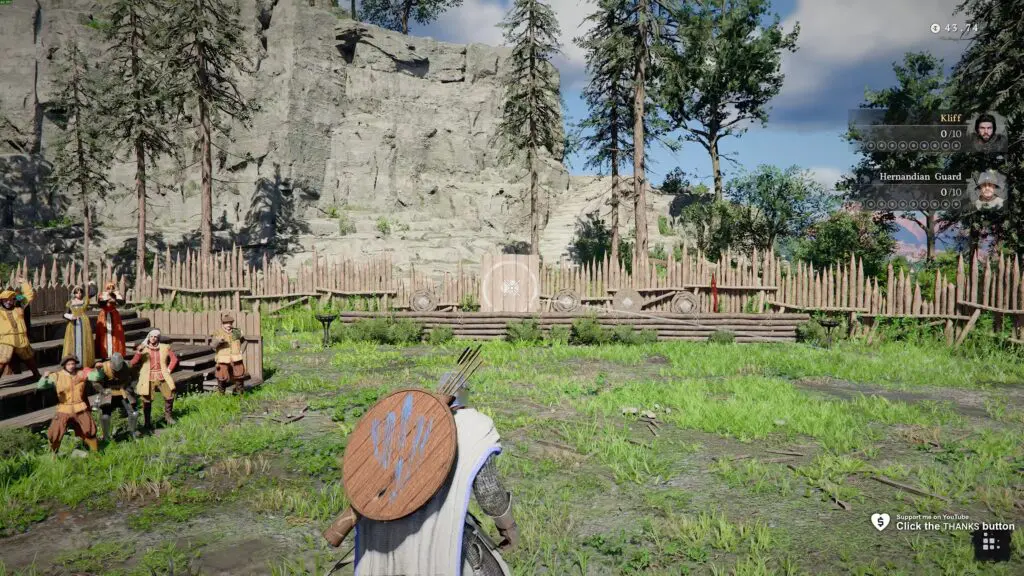
In this challenge, targets appear on boards that pop up in different positions. Your goal is to aim quickly and shoot before your opponent does.
- Pull out your bow using the assigned key or controller button.
- Aim at the targets as they appear and fire as quickly and accurately as possible.
It sounds straightforward, but a couple of hidden issues can make it harder than it should be.
Fix: Bow Not Firing Properly
One of the biggest problems players face is that the bow does not always fire when you click. You might aim at a target, click repeatedly, and nothing happens. Meanwhile, your opponent scores easily.
What’s causing this?
Quick clicks may not always register properly, which results in missed shots.
The fix
Instead of tapping the fire button, hold it down briefly when aiming at a target.
- Holding the button ensures the input registers.
- The arrow still fires almost instantly.
- This makes your shots far more reliable.
This one small change alone can make a huge difference.
Improve Your Aim and Reaction Time
While the game is not extremely fast-paced, you still need decent reflexes to beat your opponent.
Here are a few simple tips:
- Keep your aim of the bow near the center of the screen so that from the center, you can quickly flick left or right.
- Reset your aim back to center after each shot.
- Stay focused and react as soon as a target appears.
Fix: Mouse or Controller Acceleration
Another issue that can hurt your performance is camera acceleration. It makes your aim feel inconsistent and harder to control.
How to fix it
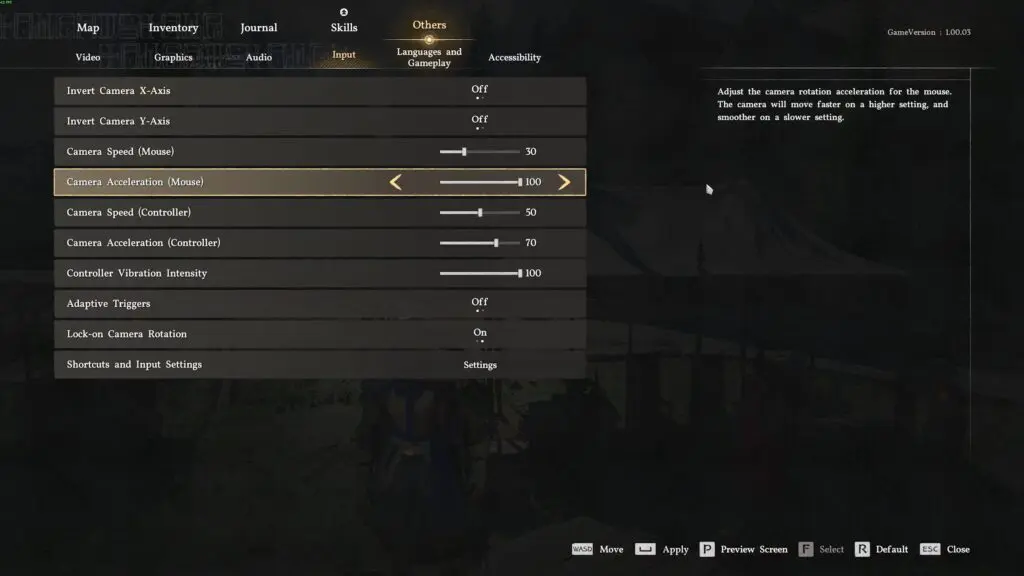
- Open the pause menu
- Go to Options → Input settings
- Find:
- Camera speed (sensitivity)
- Mouse or controller acceleration
Important tip
Setting acceleration to 0 does not fully disable it. Instead, it can make your aim feel sluggish and delayed.
Best setting
- Set acceleration to 100 to remove the slowdown effect.
- Your aim will stop instantly when you stop moving.
This makes your aiming feel much more responsive and precise.
Practice Makes It Easy
Once you apply these fixes, the mini-game becomes much easier. You will still need a bit of practice, but winning consistently is very achievable.
- The entry cost is low, and you can quickly recover your money by winning.
- After a few tries, getting three wins in a row becomes simple.