Changing nicknames in Tomodachi Life: Living the Dream is a quick and simple process once you know where to look. Here is a quick guide on how to change Nicknames in Tomodachi Life: Living the Dream
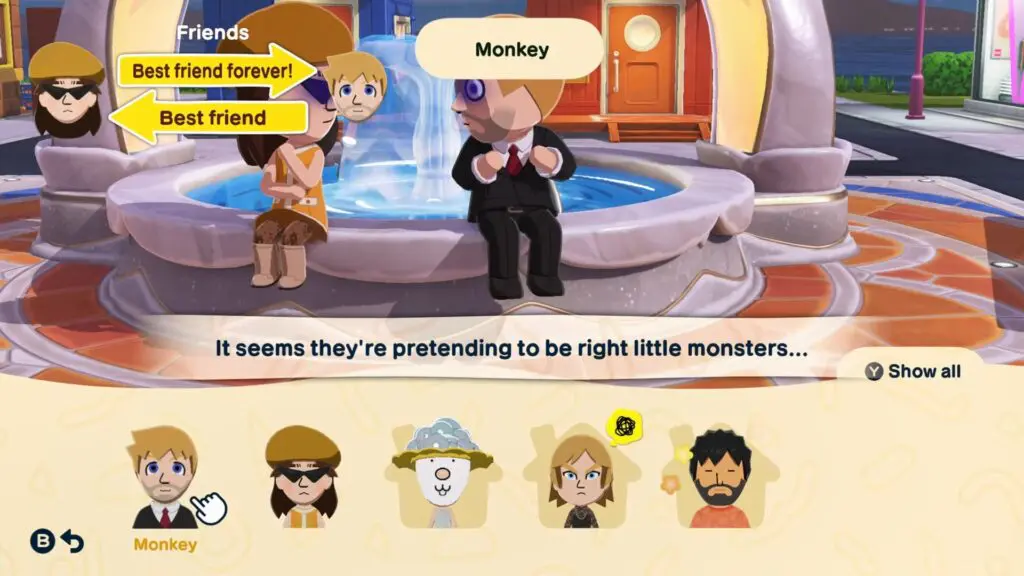
Step 1: Open Your Character List
Start by opening up your Mii list and selecting the character whose nickname you want to change.
Step 2: Press Y to Open the Menu
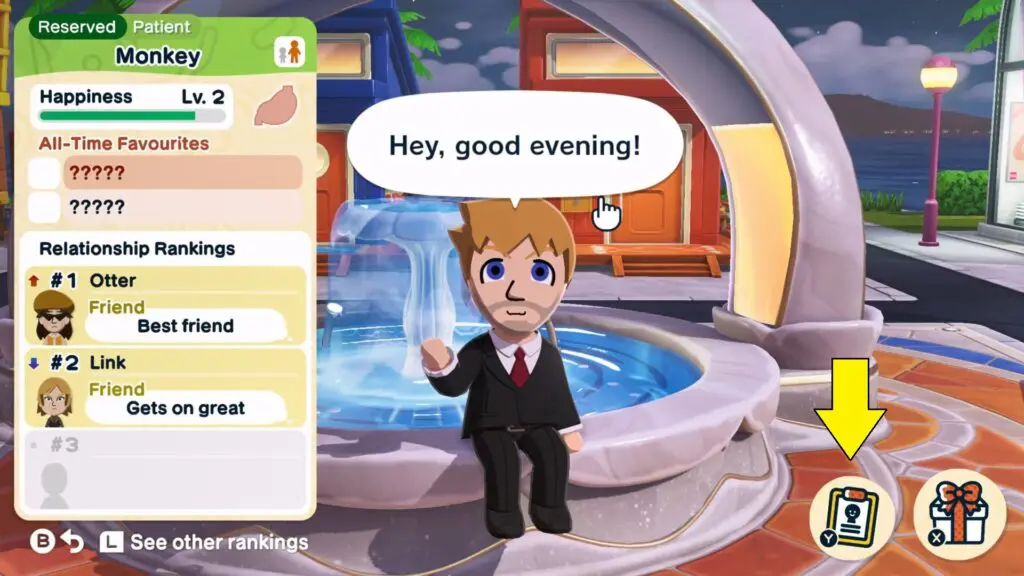
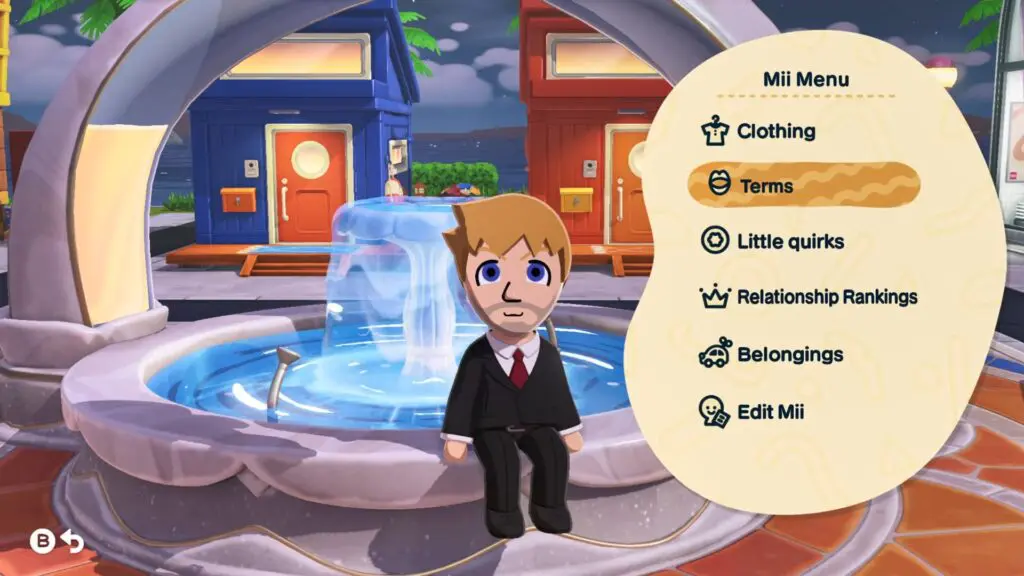
With the character selected, press Y to bring up their options menu. From here, navigate to the Terms section. Inside this menu, you will find several options, including pronouns, expressions, nicknames, and more.
Step 3: Change the Nickname
Select Nicknames from the menu. You can change the nickname that characters use for each other, choosing between what each one calls the other.


What Else Can You Do in this Menu?
The Terms menu is actually useful for more than just nicknames. While you are in there, you can also adjust relationship rankings, change clothing, update pronouns, and tweak a few other character settings, all from the same place.