One of the first limitations you’ll encounter in Subnautica 2 is your small inventory. With only a limited number of slots available at the start of the game, you’ll quickly run out of space while gathering resources, scanning blueprints, and crafting new equipment. This article will guide you on how to increase the inventory space in Subnautica 2.
How to Increase Your Inventory
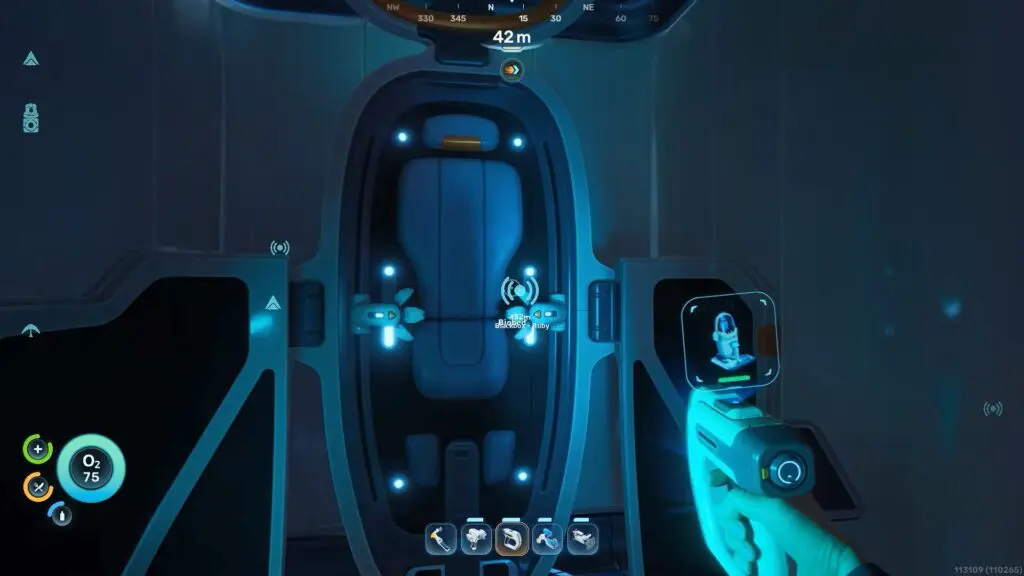
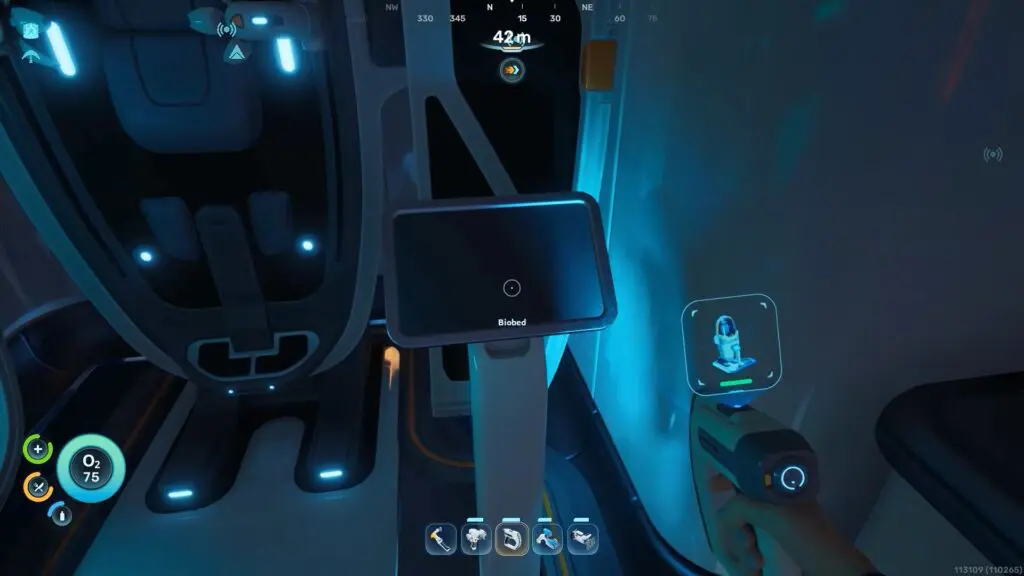
Unlike the original game, inventory upgrades in Subnautica 2 are tied to Biobeds found inside abandoned colony outposts. Simply scanning the Biobed isn’t enough. Instead, interact with the terminal next to the Biobed. This will permanently increase your Stamina and your inventory space too.
Each Stamina upgrade permanently adds three inventory slots, making exploration much more manageable.
Where to Find Biobeds
Biobeds are located inside colony habitats scattered across the map. Many of these outposts become easier to locate as you progress through the story and recover the black boxes marked by NOA, your AI companion. You should also investigate areas marked by blue standing lights, as they often lead to hidden habitats containing Biobeds and other valuable blueprints.
One of the earliest inventory upgrades can be found inside Chap’s Lifepod. After completing Anita’s early objective, you’ll receive a signal leading you to Chap’s location. Inside the habitat, scan the Biobed for your databank, then interact with its terminal to unlock your first Endurance upgrade.
Inventory vs. Hotbar Upgrades
While exploring colony outposts, you’ll come across two different permanent upgrades:
- Stamina increases your inventory space by three slots.
- Dexterity expands your hotbar, allowing you to equip more tools for quick access.
Each terminal only grants its upgrade once, so you’ll need to continue exploring new outposts to further expand your carrying capacity.