Blueprints are a powerful tool in Arknights Endfield. They help you save, copy, and rebuild factory layouts without starting from scratch. In this guide, you will learn how to create blueprints, share them, import ones made by others, and place them in your base.
What Are Blueprints
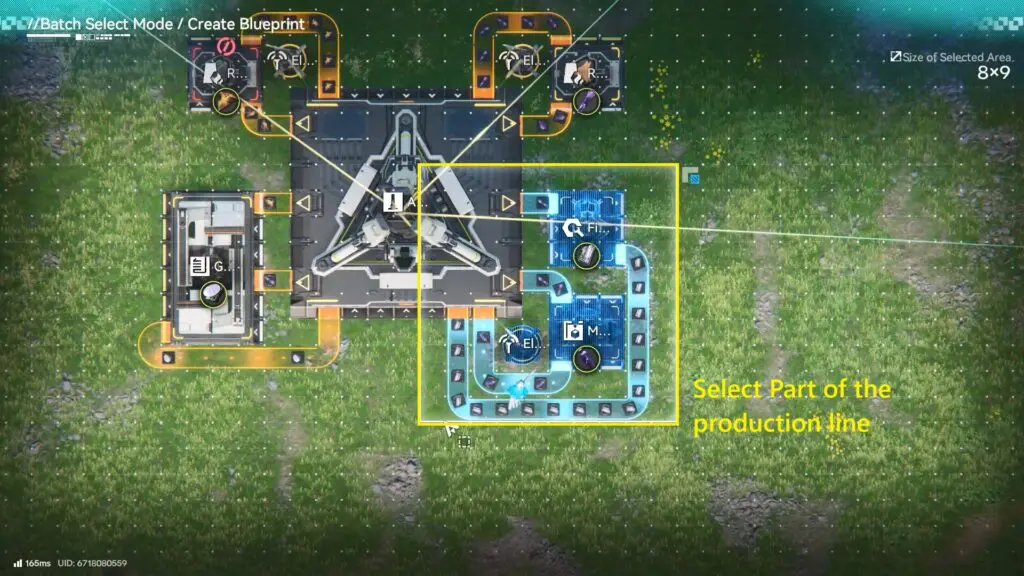
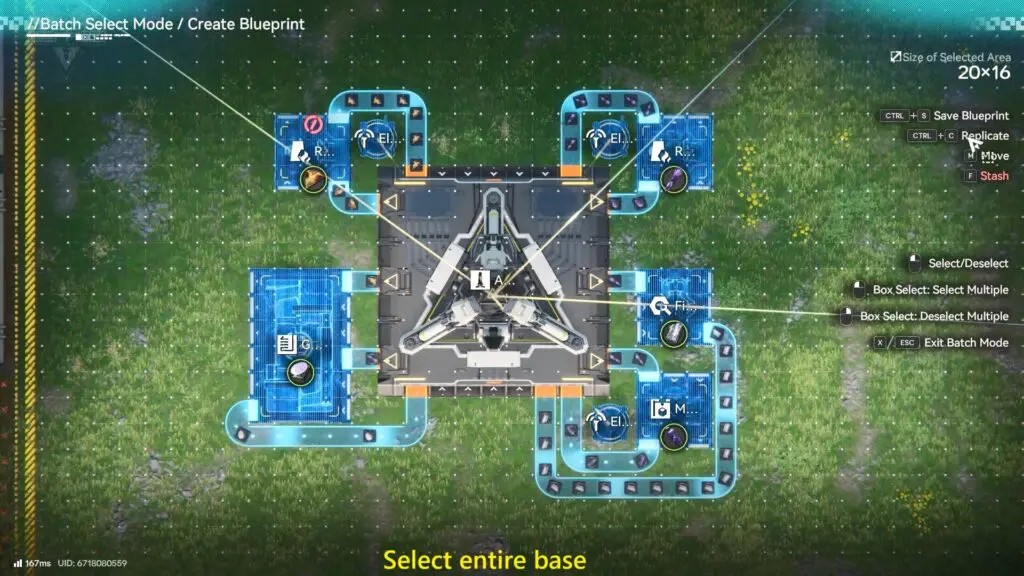
Blueprints let you save a layout of machines, conveyors, and structures. You can save a small setup, like a part of the production line or the entire base. This is useful if you want a backup, want to move your base, or want to rebuild the same setup again later.
How to Open the Blueprint Menu
Open the Build Menu in the game. From there, press F1 or click the Blueprints button at the bottom right. This opens the blueprint screen, where you can view, create, and manage blueprints.
How to Create Your Own Blueprint
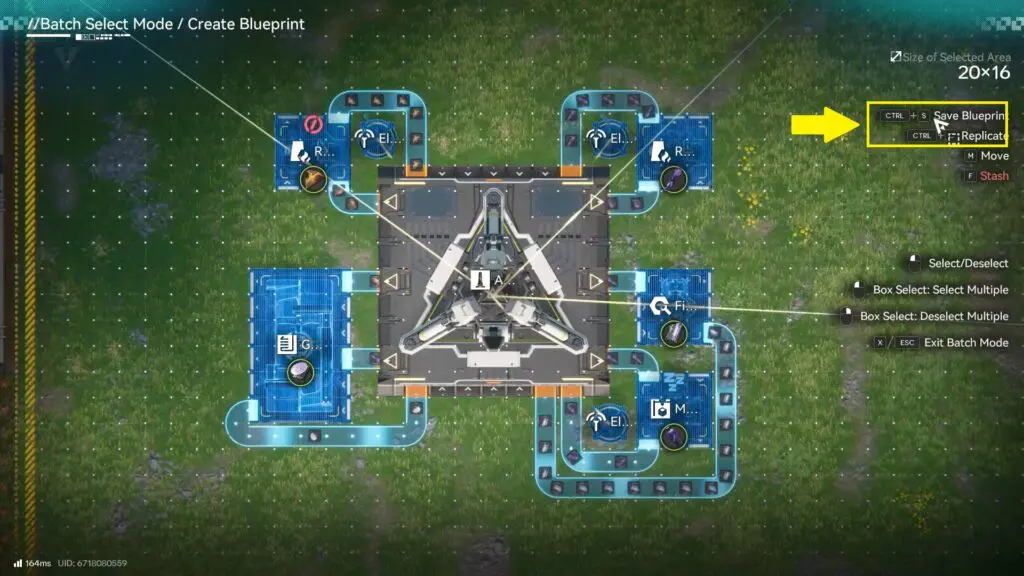
To make a new blueprint, click New Blueprint. Select the machines or buildings you want to save. This can be a few machines or the whole base. Once the base/machine is selected.
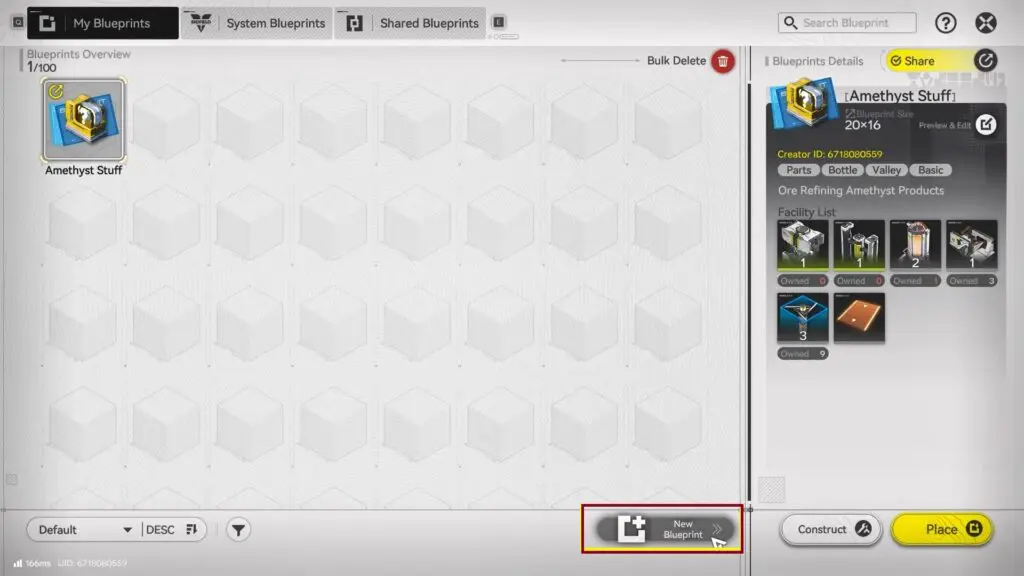
- Press Ctrl + S to save
- Give the blueprint a name and description.
- The game will also show which machines are required.
You can also use the replicate option to copy the same setup multiple times.
How to Import a Blueprint
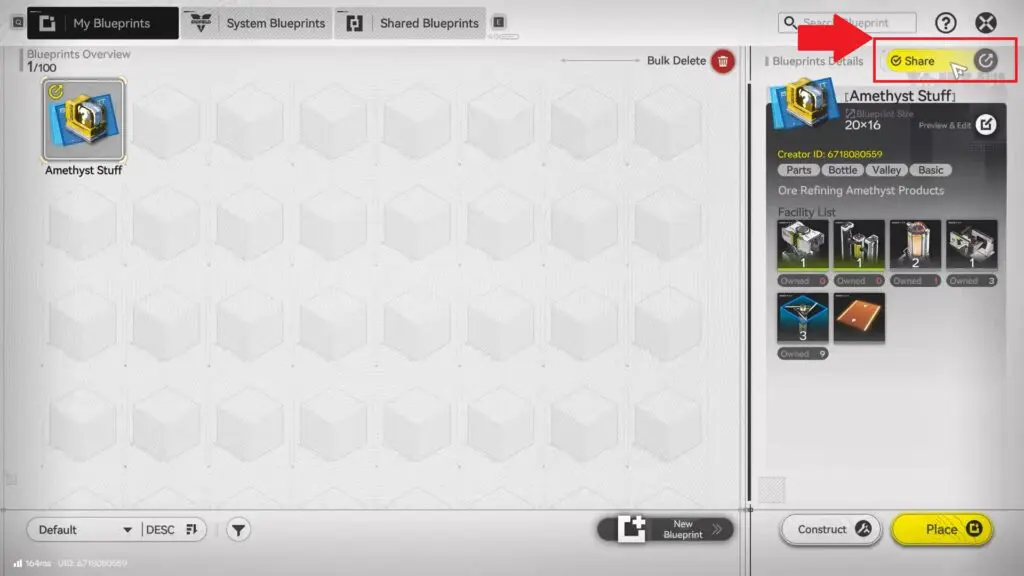
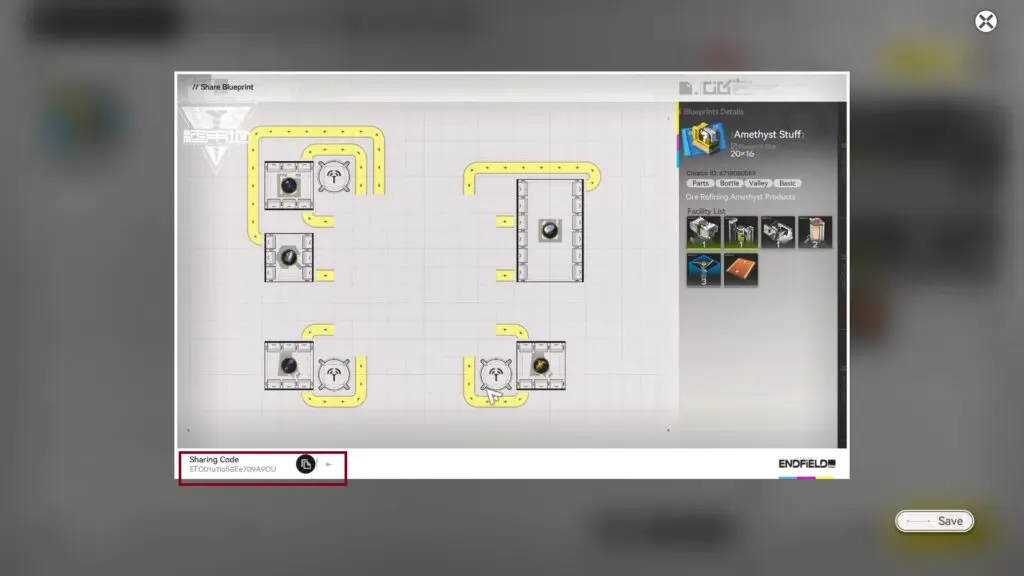
To import a blueprint made by someone else, go to the Shared Blueprints tab and click Import Blueprint. Paste the sharing code and confirm. Once imported, you will see the full layout, the required machines, and any notes from the creator.
Where to Find Community Blueprints
Many players share their blueprints online. One popular site is endfieldtools.dev, where players upload advanced factory builds and full base layouts. These blueprints are great for ideas, but it is best to understand how machines work first. If something breaks, knowing the system helps you fix it easily.
Note: The game also includes System Blueprints. These are built-in examples that show how different machines work together.