If you’re confused about how to use the Visione to replay memory fragments, then you are not alone. This guide breaks down how to use the Visione in Crimson Desert.
Method 1: Automatic Prompt (Story Moments)
In certain story situations:
- The Visione will automatically appear as a prompt on your screen.
- You’ll see it in the bottom-right corner with a button input.
In most cases, simply pressing that button will activate the Vizion and let you view the memory. However, this doesn’t always work reliably, which is where the manual method comes in.
Method 2: Manually Using the Visione
If the prompt doesn’t appear, you’ll need to equip and activate it yourself:
- Open the equipment wheel (hold left on the D-pad)
- Go to the Armor section.
- Cycle through until you equip the Vizion helmet
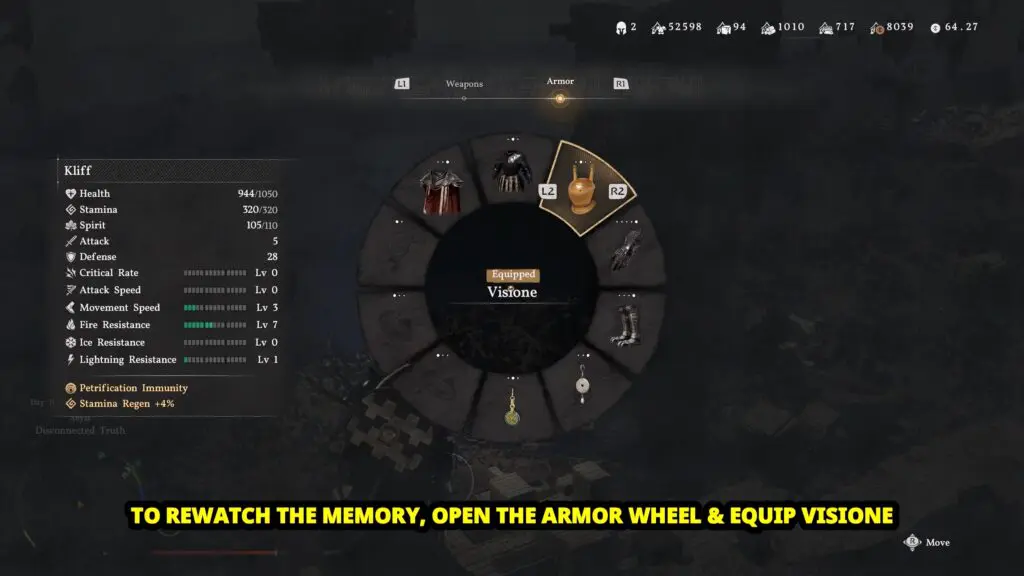
Once equipped:
- Hold the same wheel again.
- Highlight the Vizion and release.
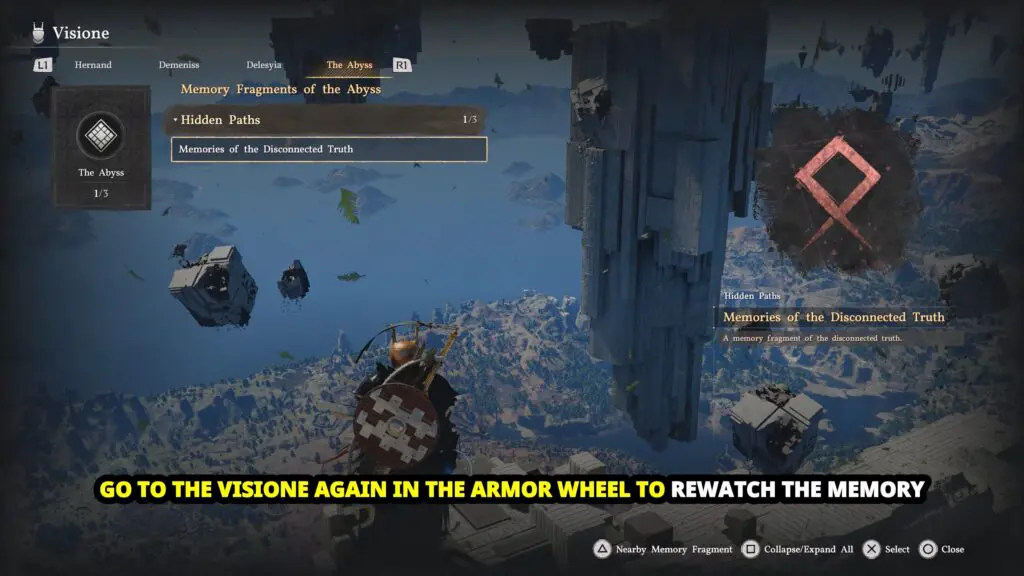
This will open a special memory fragments menu. Now choose from this list to play a particular memory fragment.