In Part 3: The Patient, you must help a patient through a difficult medical procedure. You will need to check the patient’s vital signs, take an X-ray, find the required medical equipment, and prepare the correct medicine. This guide covers the step-by-step process you need to follow to complete each objective and progress through Silent Hill: Townfall.
Zoe The Patient
At the start of “Zoe: The Patient,” you’ll be in the surgery room. Talk to Dr. Glenn using the intercom. He will ask you to check the patient’s blood pressure, pulse, and blood oxygen levels.
Vitals Puzzle
There are five different machines around the patient, and each shows different readings. To find the correct readings, first go to the laptop in the corner of the room. Select the Equipment Overview menu and then Valentudo View S-100 to read its manual. The manual gives instructions for using the vital signs machine. It tells which readings are valid and which ones to ignore. Check the readings on the machines around the patient and use the values that match the manual to report to Dr. Glenn.
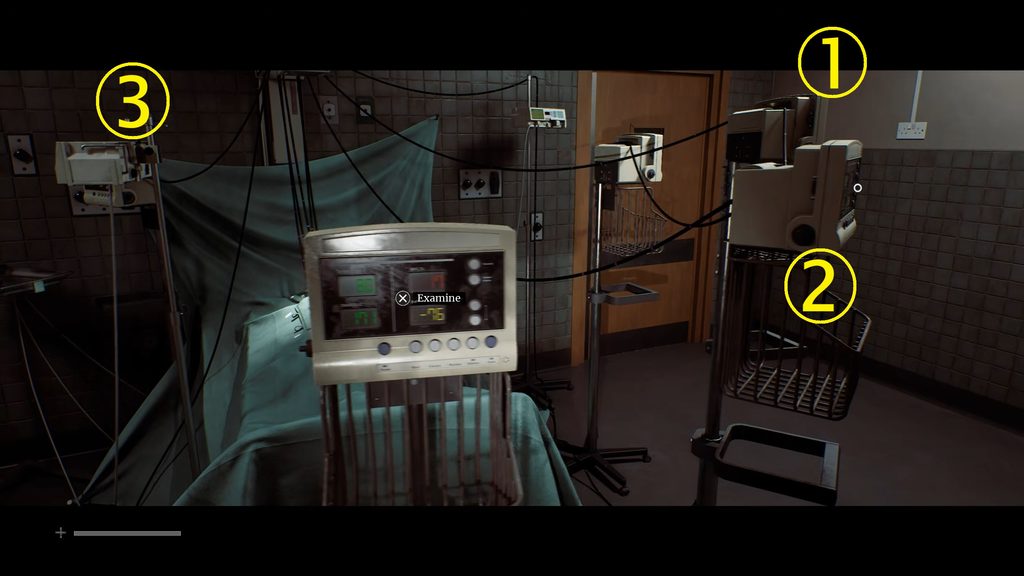
How to get the blood pressure in Townfall
The manual says to ignore blood pressure readings outside 70/100 mmHg. Check the green numbers on the left side of each machine and look for a reading that fits the manual. The correct reading may switch between 71/39 and 70/40. Second machine on the right side.
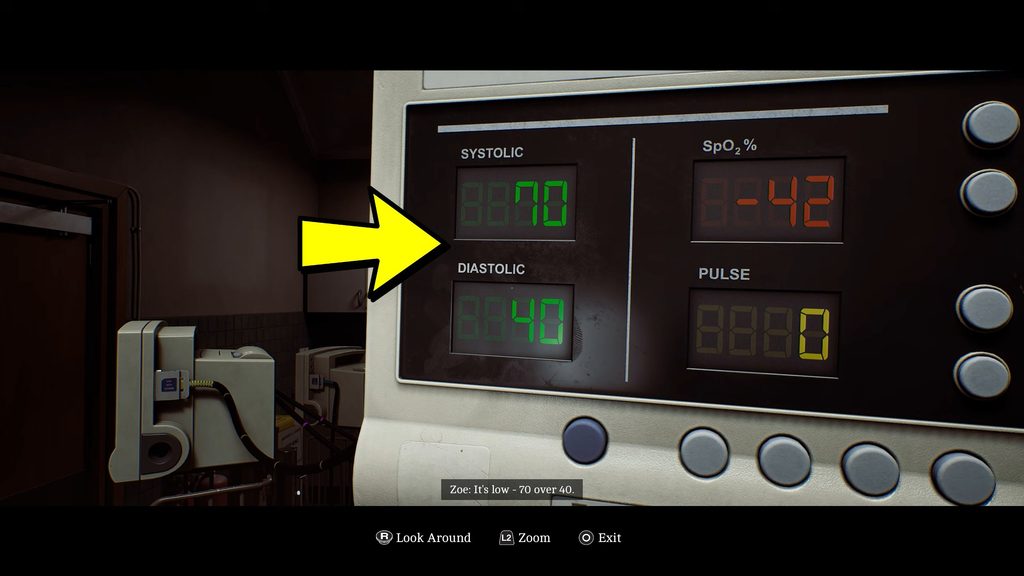
How to find the pulse in Silent Hill Townfall
The manual says to ignore heart rate readings outside the 40 to 160 BPM range, as they may be inaccurate. Check the yellow pulse numbers on the machines around the patient. Look for a reading just outside this range. The correct machine shows 161 BPM, although it may change to 162 BPM when you report it. Third machine on the right side.
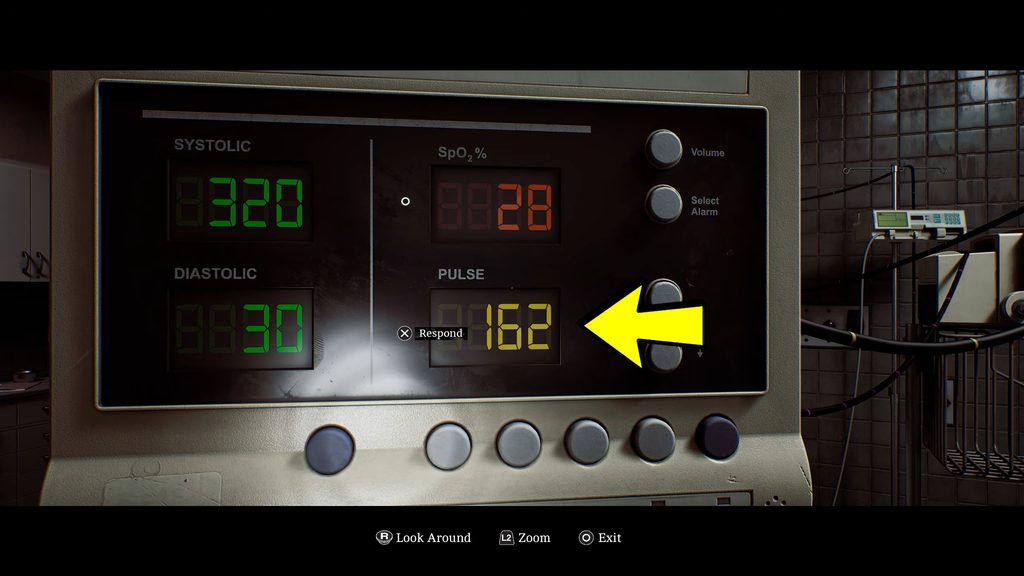
How to get the O2 in Townfall
The manual says to ignore blood oxygen (SpO2) readings below 75%, as they may be unreliable. Look for a machine showing a red SpO2 value above 75%. The correct reading is 81-80%.
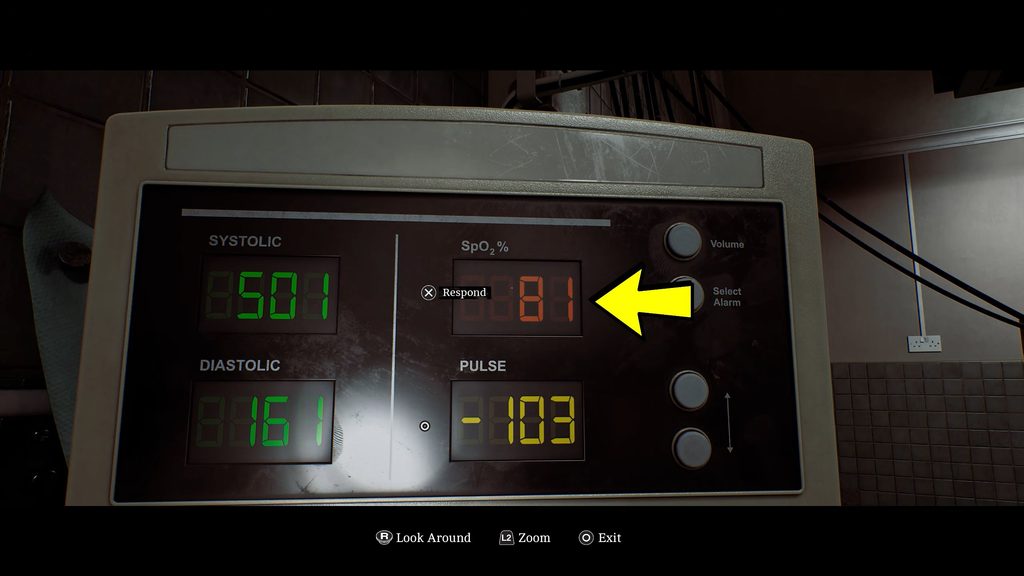
Door Code
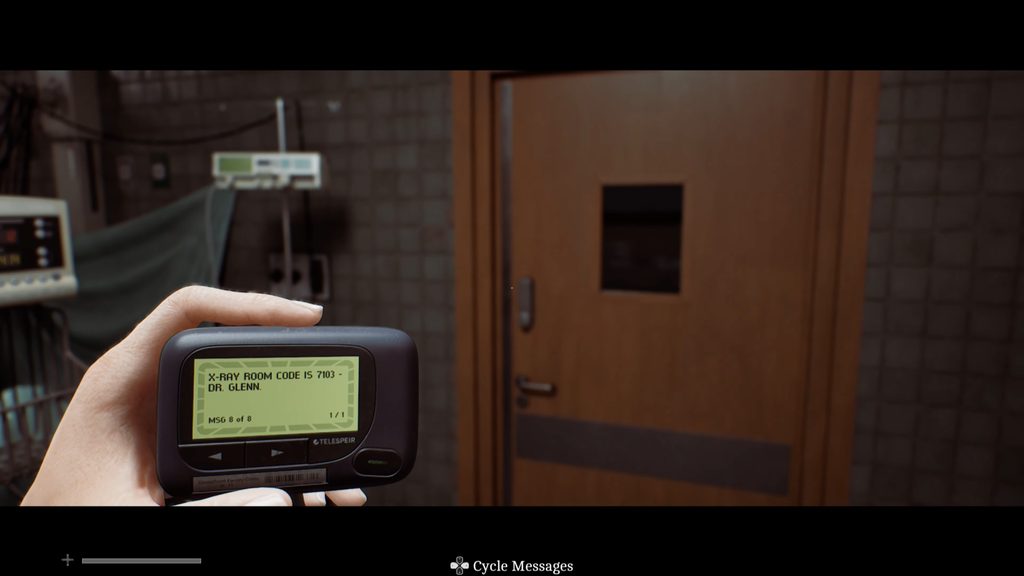
After reporting the patient’s blood pressure, pulse, and blood oxygen levels, your next task is to take an X-ray of the patient’s skull and chest. Use the door code 7103 to enter the room with the X-ray machine. You can find this code on your pager.
X-Ray Puzzle
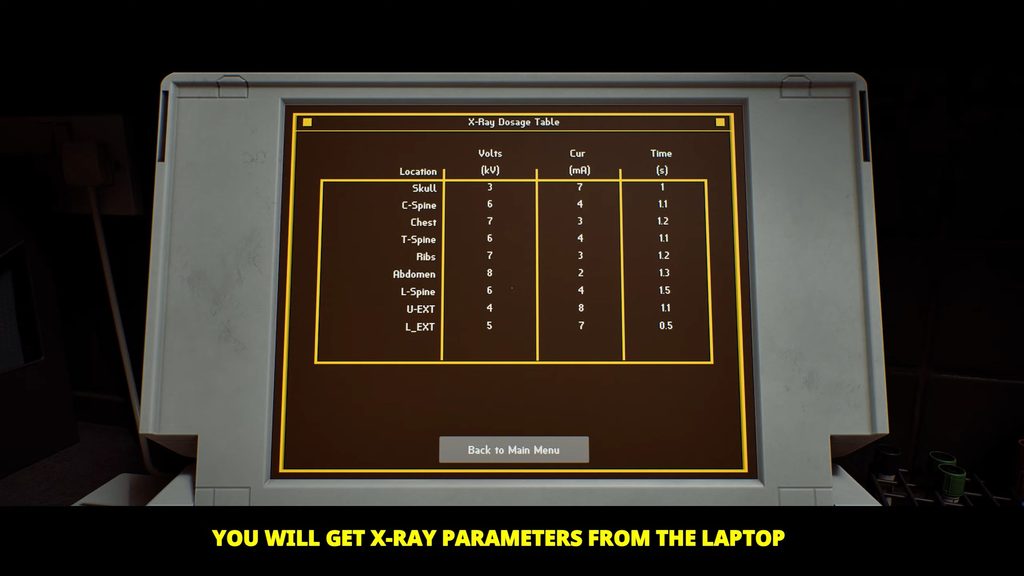
To take an X-ray of the patient’s skull and chest, start at the computer. Open the manual and find the X-ray dosage table. It lists the right dosage for each part of the body. Then go to the X-ray room. Enter the door code 7103 to get in.
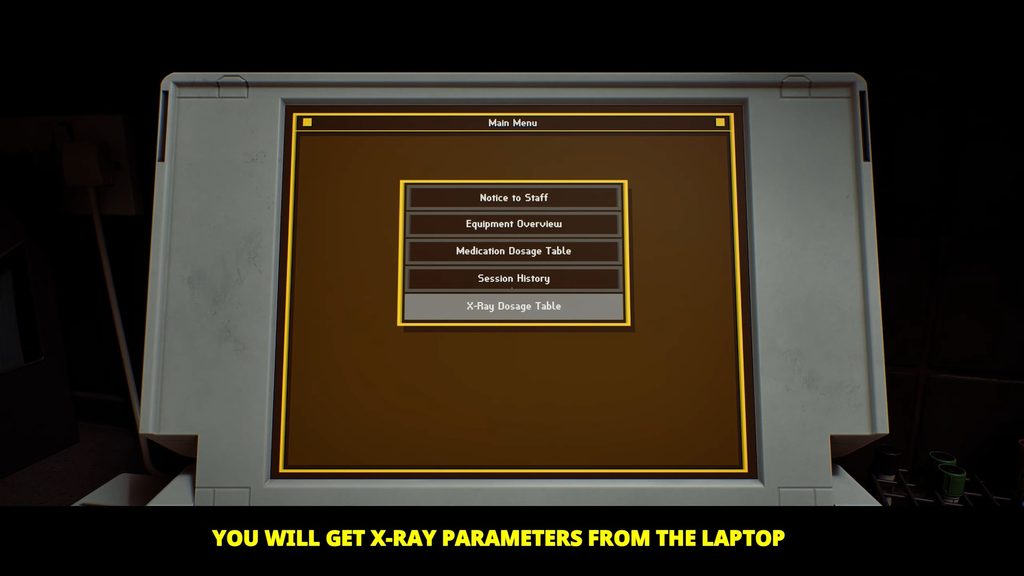
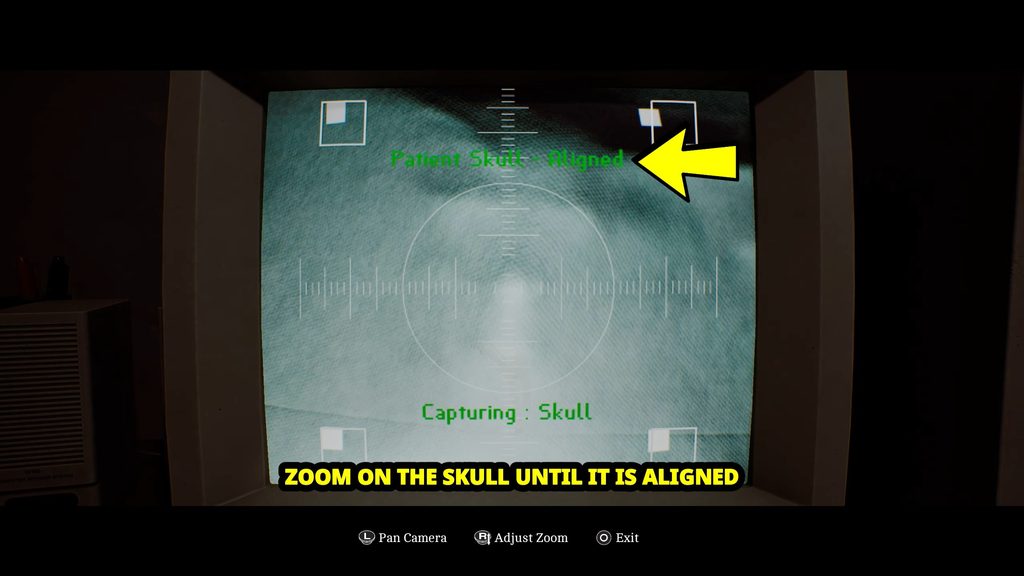
To take an X-ray of the patient’s skull, start at the computer next to the X-ray machine. Move the camera until the four white squares line up with the boxes around the patient’s head. When the position is right, you will see the message “Patient Skull Aligned.
Now go to the X-ray machine. Press the Power button in the bottom-right corner to turn it on. Enter the skull dosage from the X-ray dosage table. Then enter these settings on the machine. Finally, press the green button.
- Site: Skull
- kV: 3
- mA: 7
- Time: 1
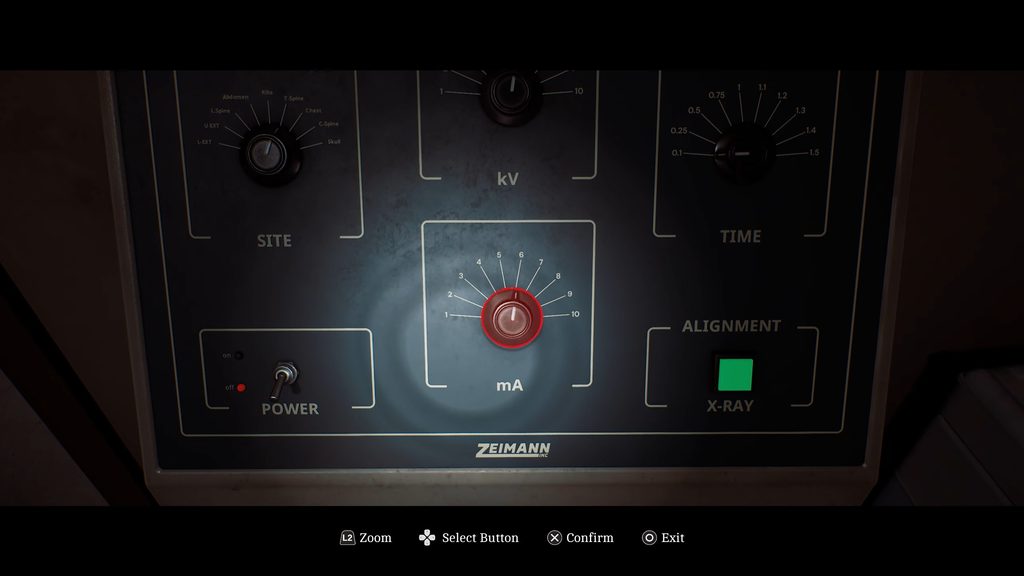
Next, recalibrate the settings for the chest X-ray. Then adjust the camera to line up with the patient’s chest.
- Site: Chest
- kV: 7
- mA: 3
- Time: 1.2
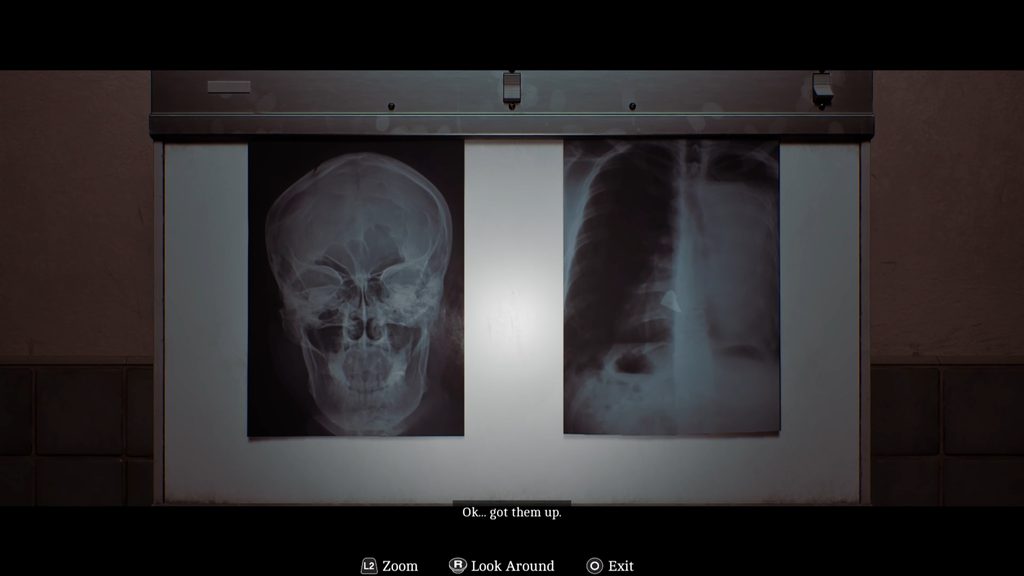
Collect both X-ray prints from the printer and place them on the whiteboard in the patient’s room to complete the analysis.
Get the Medicines
Talk to Dr. Glenn using the intercom. He will ask you to find three different medicines around the St. Amelia Medical Care Centre.
Find Tensobromide 11mg
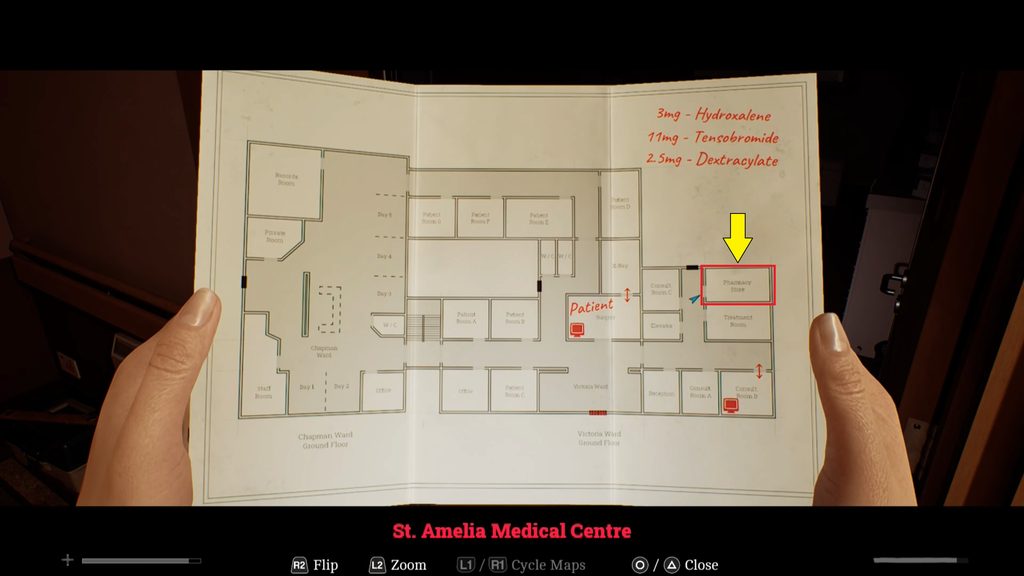
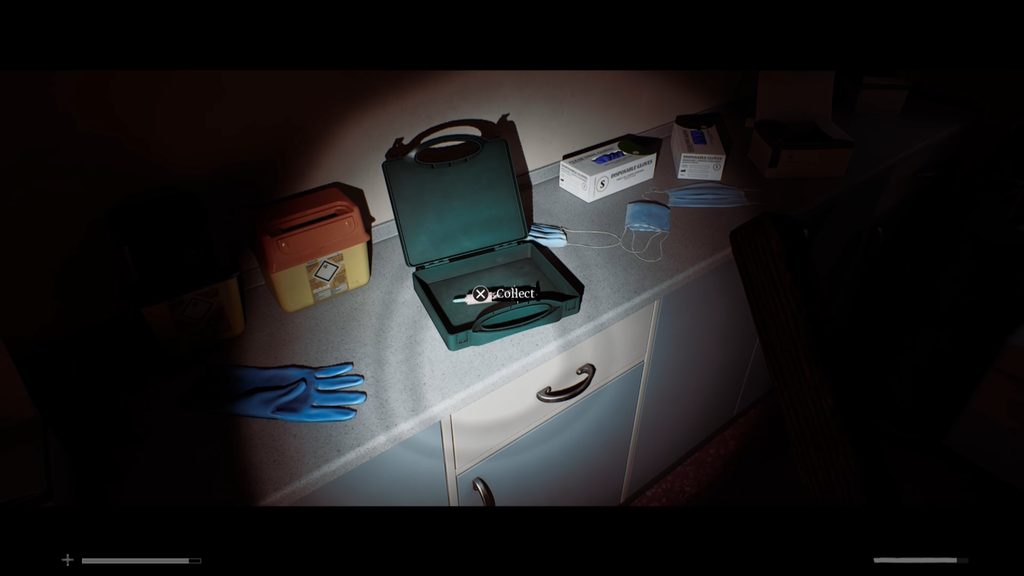
The first medicine is Tensobromide 11mg. You can find it inside the Pharmacy Store. Enter the store and pick it up from the first aid box.
Find Dextracyclate 2.5mg
Next, go upstairs and make your way to Bay 6 in the northeast corner. Check the machine next to the bed to find Dextracyclate 2.5mg.
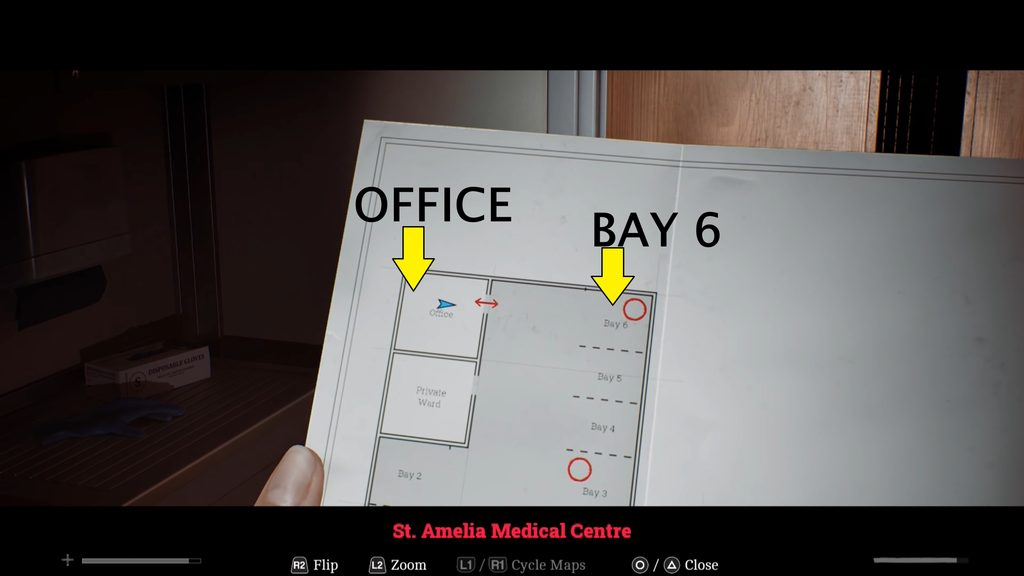
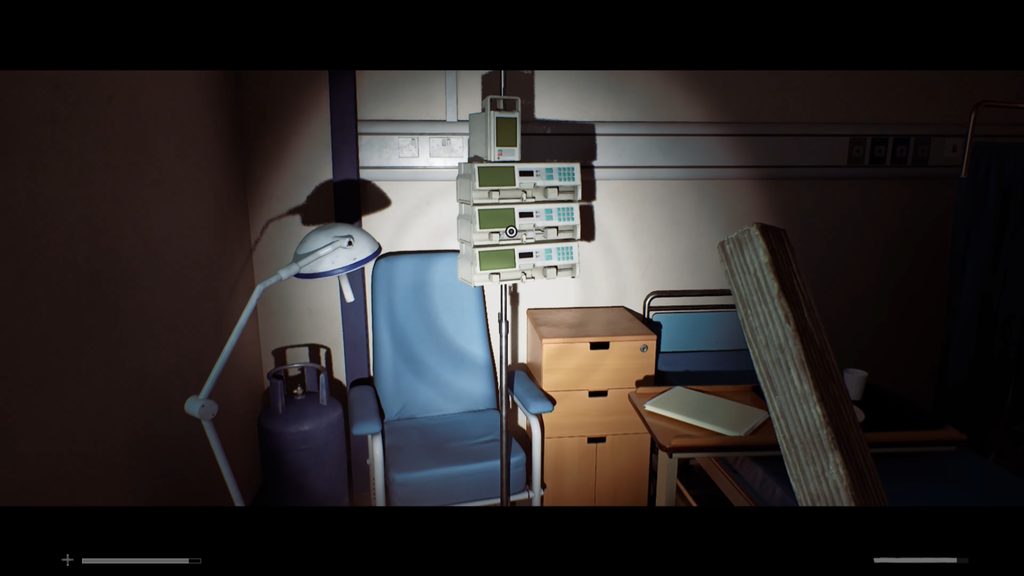
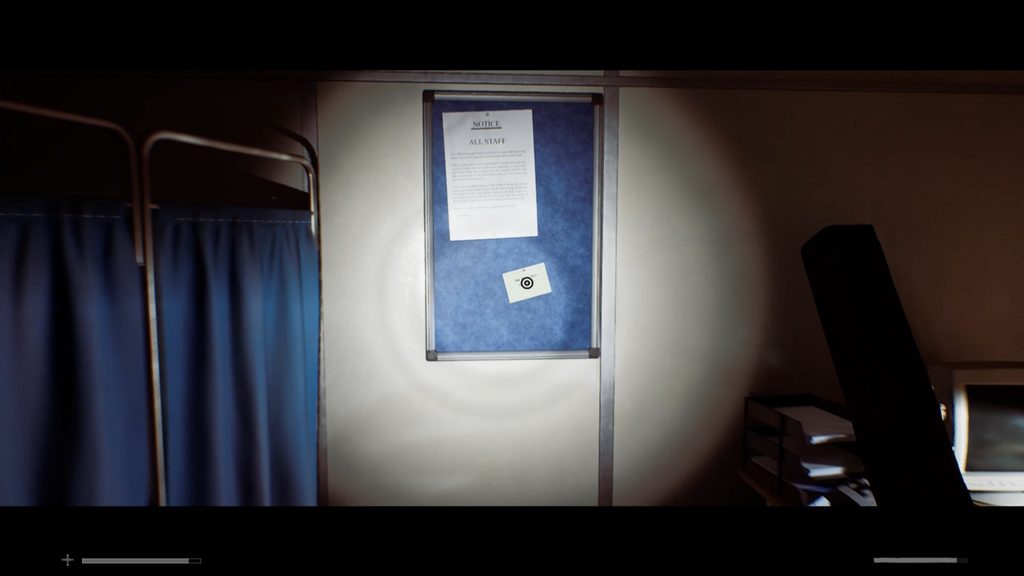
After collecting the medicine, enter the office across from Bay 6. Look at the notice board to find a sticky note containing the code 2605. You will need this code to access the Records Room.
Find Hydroxalene 3mg
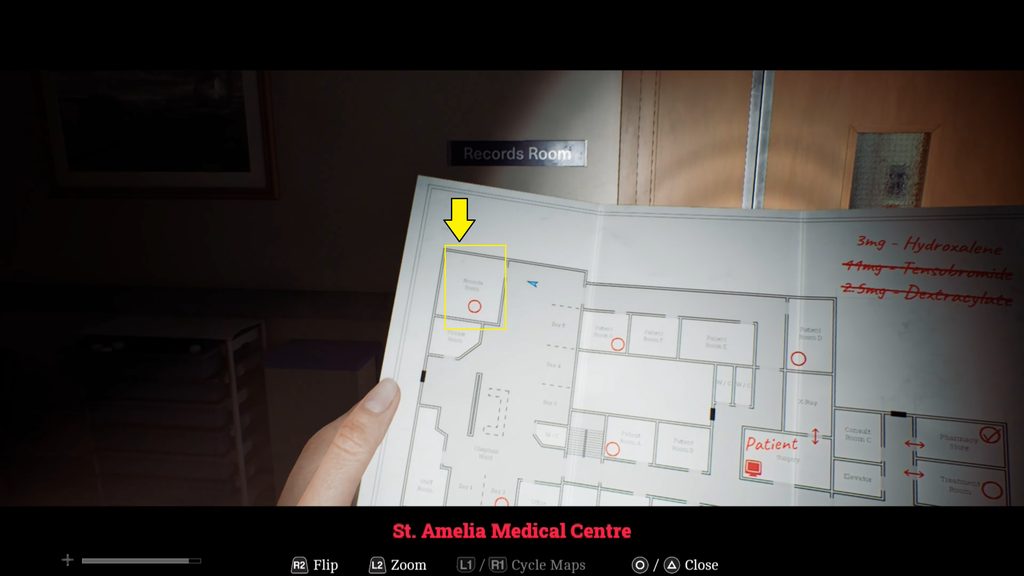
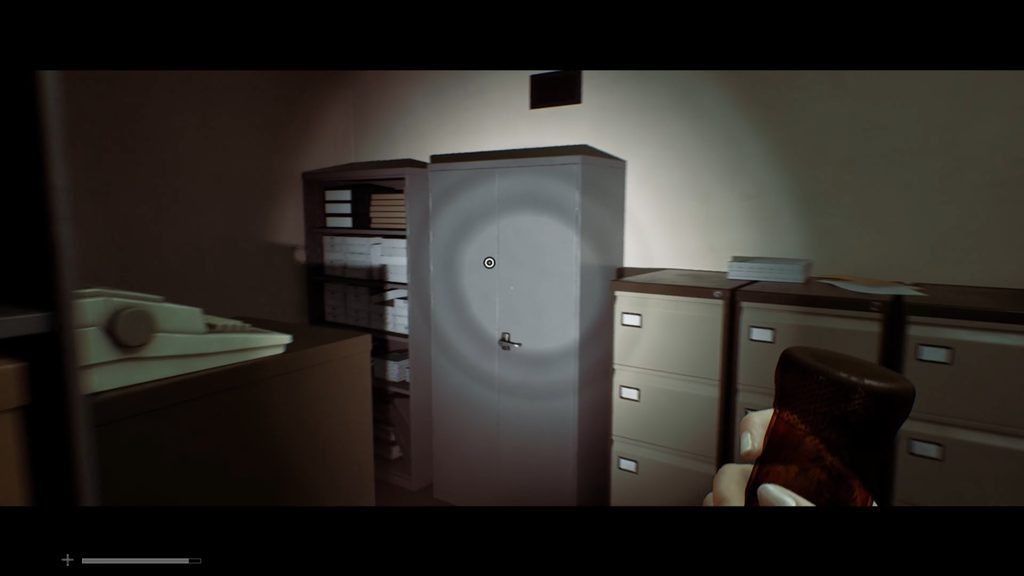
Return to the first floor and head to the Chapman Ward in the west. You will find a locked door with a keypad. Enter the code 2605 to unlock it and enter the room. Once inside, search the closet to find Hydroxalene 3mg.
Treat the Patient (Medicine Pump Puzzle)
Once you have collected all the required medicine, return to the surgery room and approach the patient. Dr. Glenn will then instruct you to use the infusion pumps to administer the treatment. There are three infusion pumps connected to the patient. You need to place one medicine in each pump. The order does not matter, so you can place the medicines in any of the three pumps.
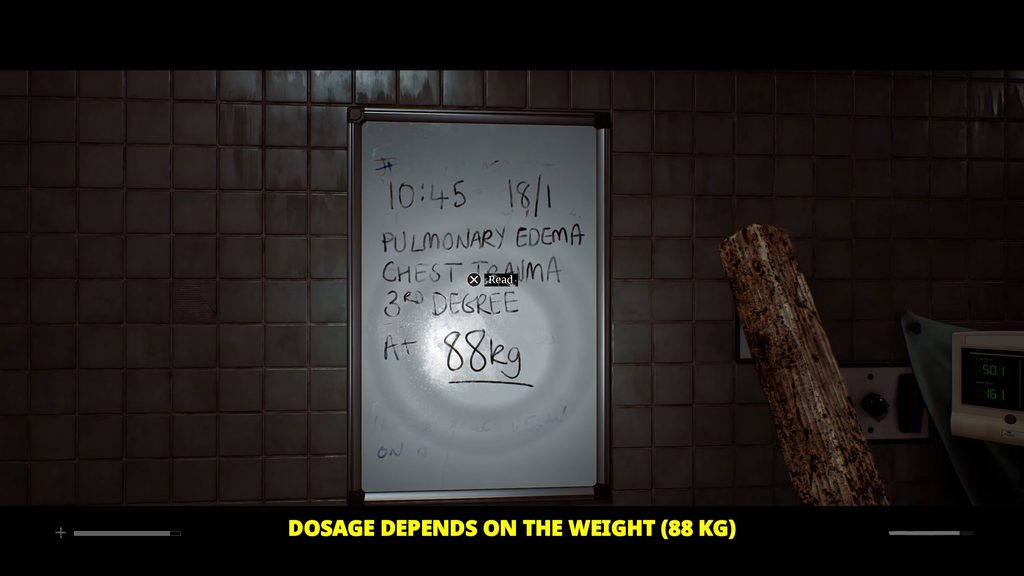
First, check the patient’s weight on the whiteboard. The patient weighs 88 kg.
Next, use the laptop you used earlier for the X-ray settings. Open the medication dosage table and find the dosage for a patient weighing 81 to 90 kg.
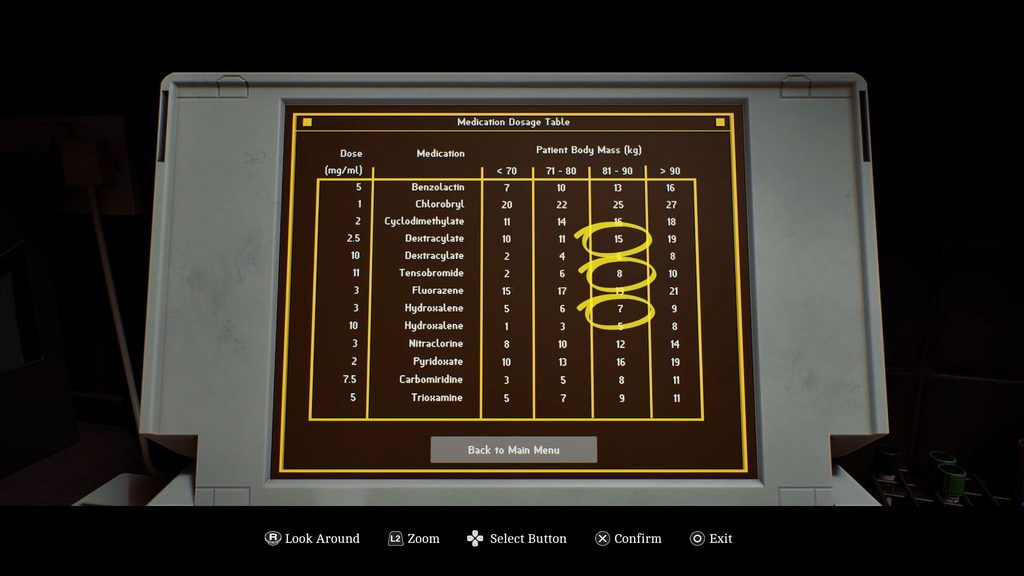
For an 88 kg patient, set the infusion rates as follows:
- Place Tensobromide 11mg in a pump and set the rate to 8. Make sure the pumps show that they are ready.
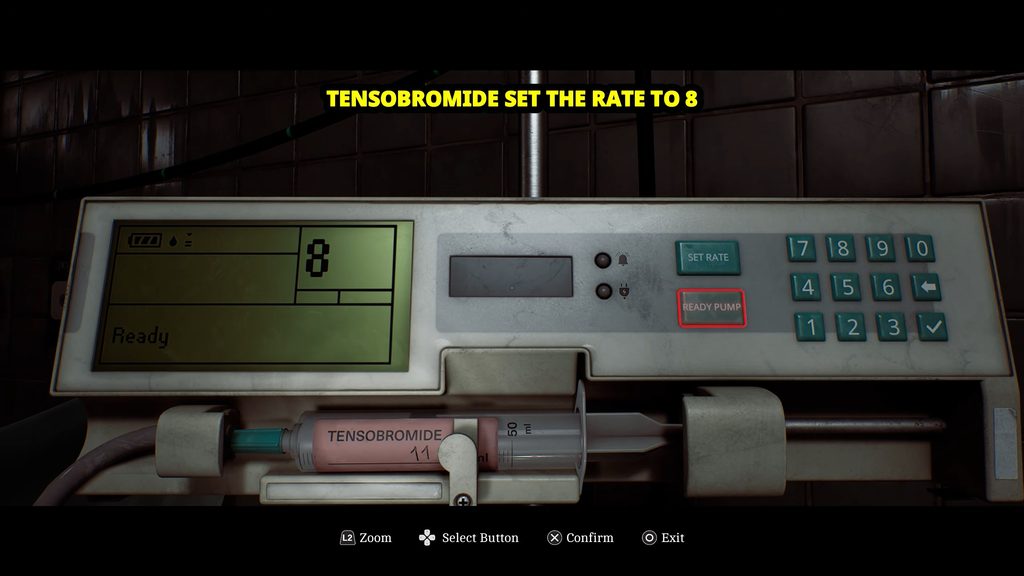
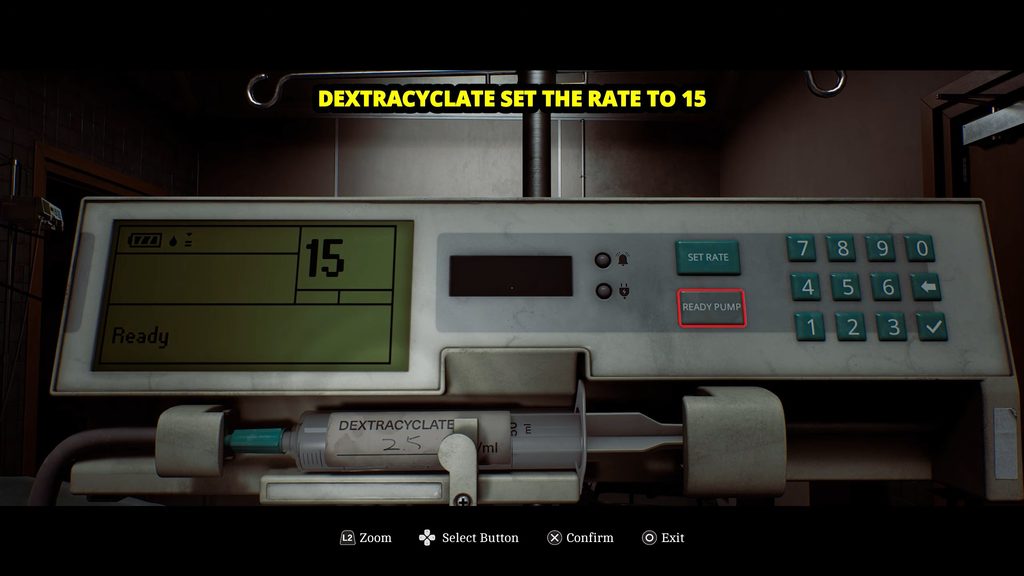
- Place Dextracyclate 2.5mg in another pump and set the rate to 15. Make sure the pumps show that they are ready.
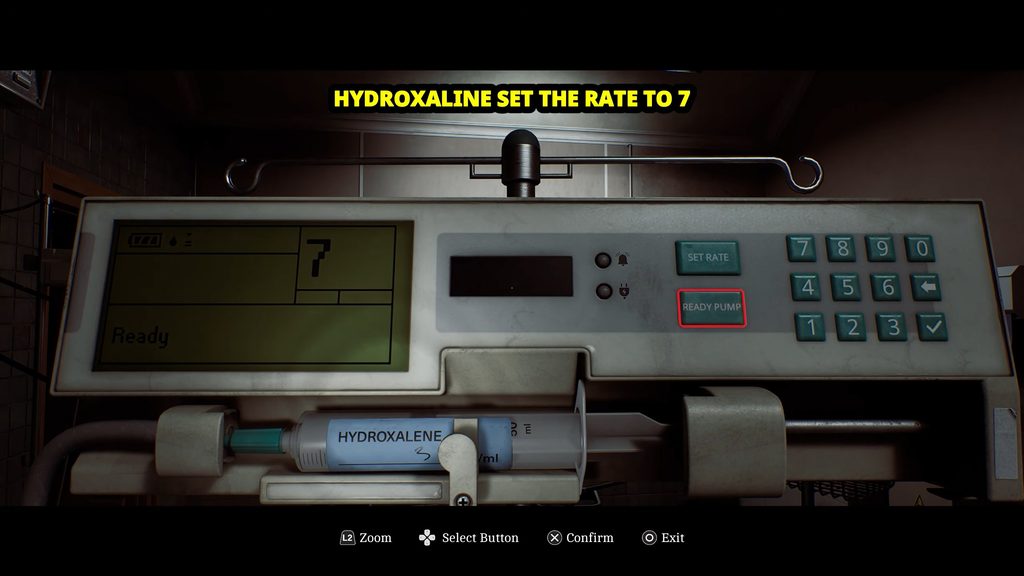
- Place Hydroxalene 3mg in the remaining pump and set the rate to 7. Make sure the pumps show that they are ready.
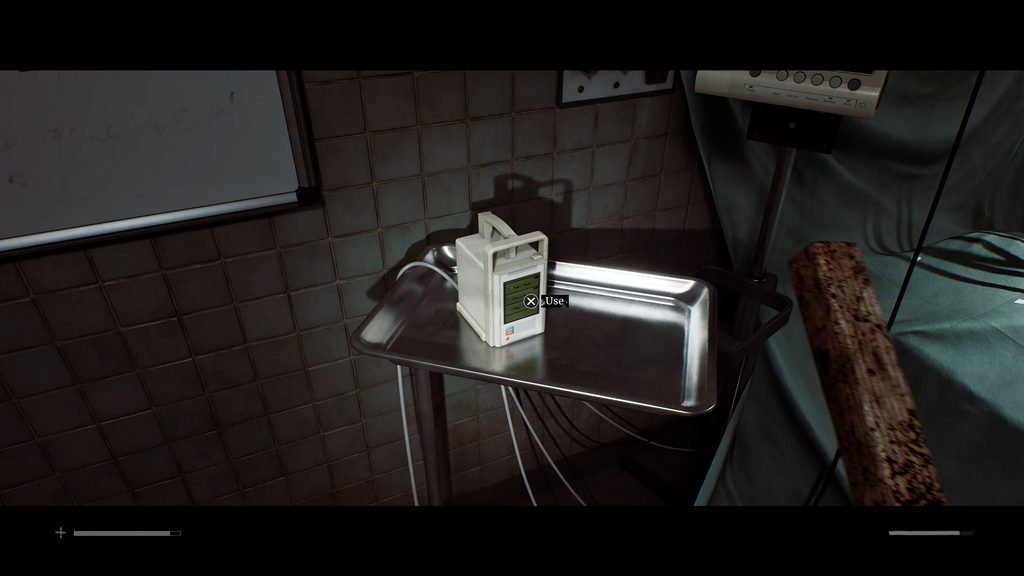
Once all three infusion pumps are set correctly, look for the small square device to the left of the patient’s head. Interact with it and press the Ready button to administer the treatment
Find Intubation Kit
Leave the surgery room and head to the reception room on the left. At the reception desk, find the phone and dial 5353.
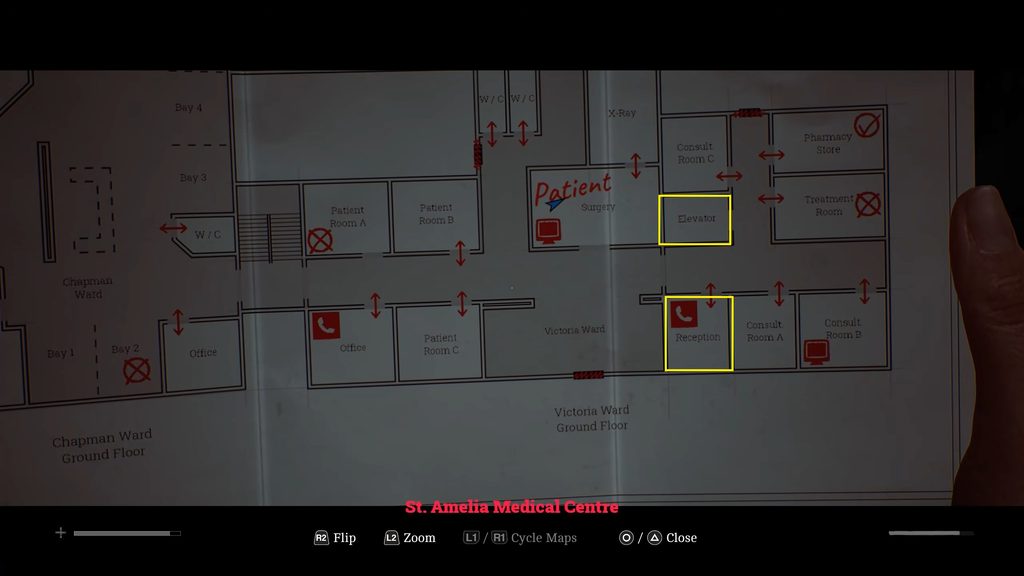
Once the call connects, speak with the basement worker. After talking to him, you will gain access to the elevator, allowing you to reach the basement.
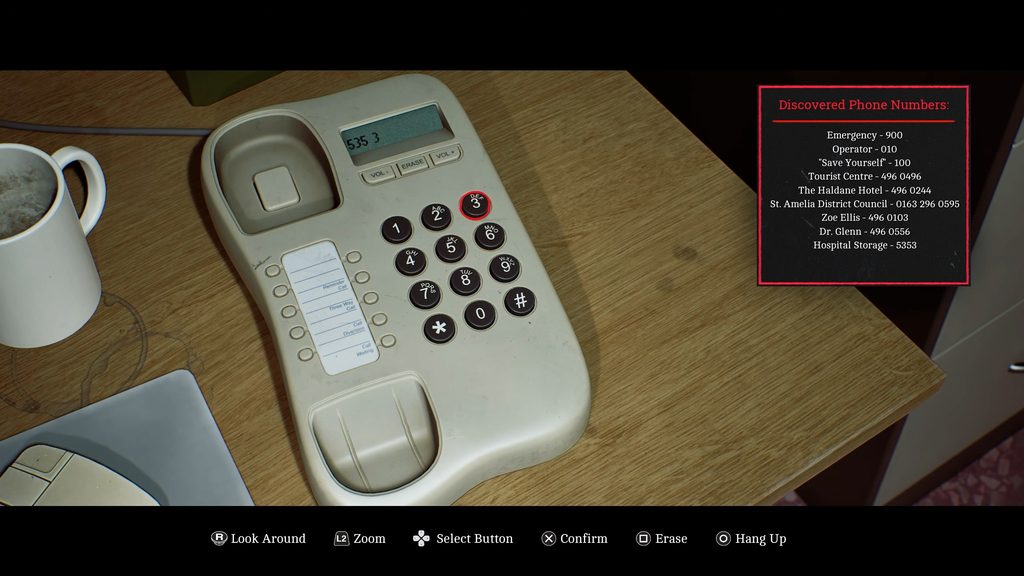
Next, make your way to the elevator and enter it. Press B to select the basement floor. When the elevator reaches the basement, step out and follow the hallway toward the Storage Room.
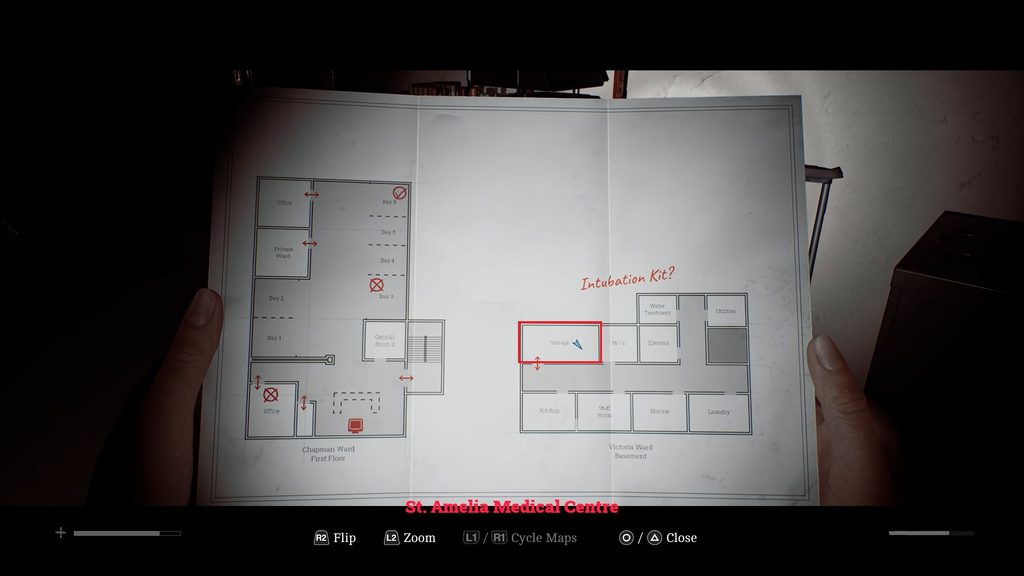
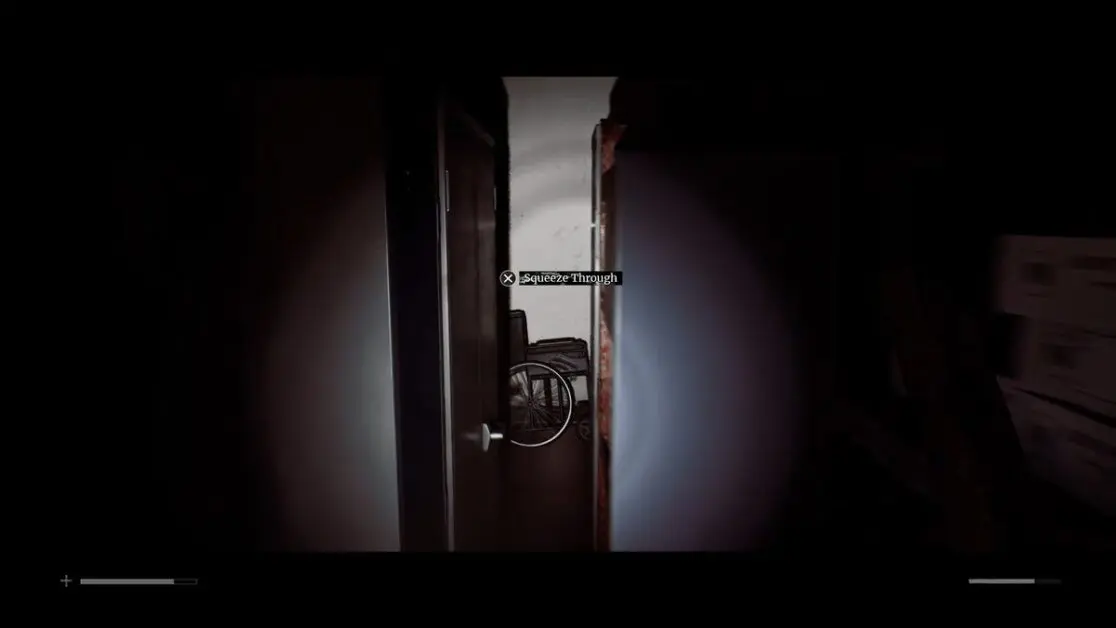
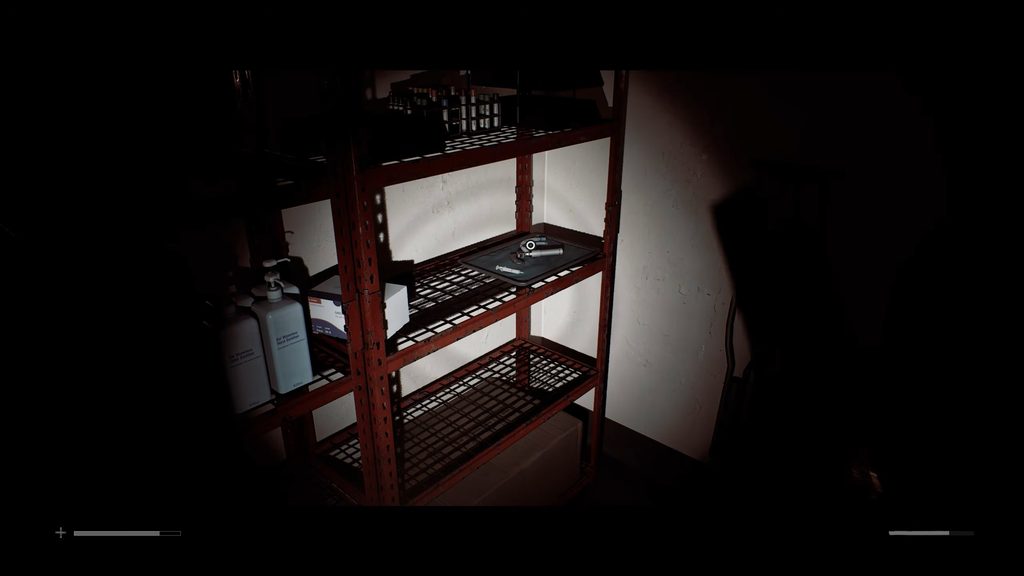
Enter the Storage Room and look around the lockers. You will find a small gap between the lockers. Squeeze through the gap to reach the other side. Once you are through, look for a shelf.
The Intubation Kit is sitting on the shelf. Pick it up to continue the objective.
Intubate the Patient
After obtaining the Intubation Kit, return to the surgery room. Your next objective is to intubate the patient. Interact with the patient to begin the procedure.
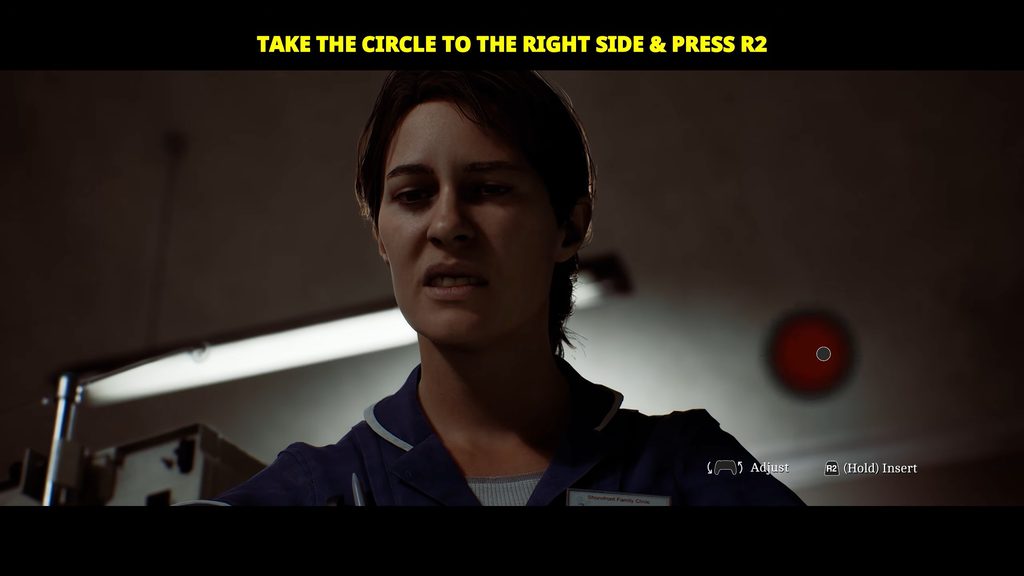
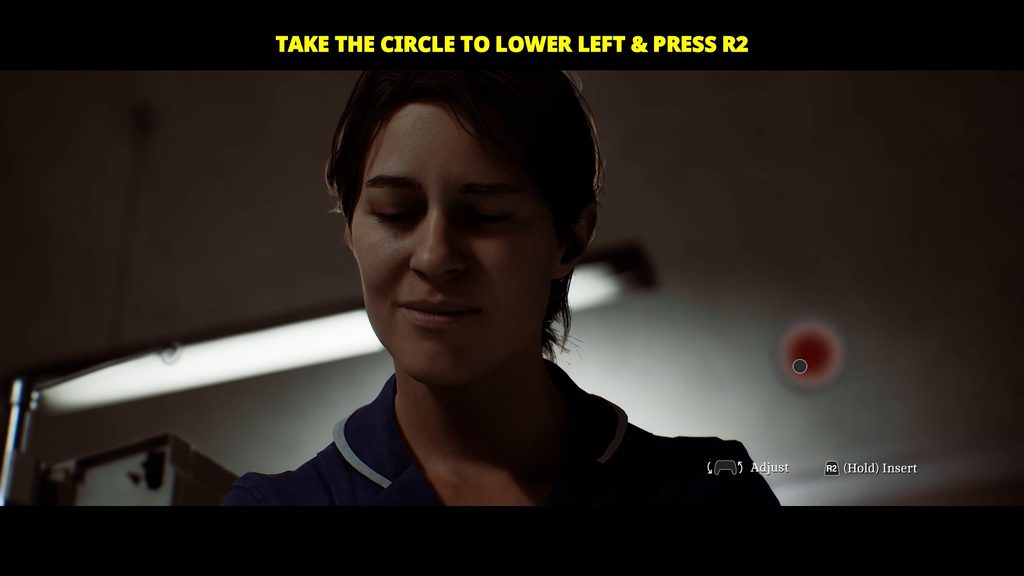
During the procedure, you need to find the correct spots on the patient’s body. A small circle or dot will appear on the screen. Move it around until you find the correct spot. When the circle turns red and starts to throb, you have found the right place. At this point, press RS to interact.
You need to find and interact with three spots. Follow these steps:
- Move the circle to the right side. Slowly move it around until it turns red and starts throbbing. When this happens, press RS.
- Move the circle to the lower-left side. Search around this area until the circle turns red and begins to throb. Press RS when you find the correct spot.
- Move the circle to the top area. Again, move it around until the circle turns red and